Do a Job · Everyday · 5 min
Group measurements into lines of your bill
A group is one line of your bill. Measurements go into it and add up, with waste, a multiplier or a pitch applied on top.
You never order exactly what you measure, and you never want twenty-four rows for twenty-four short runs. A take-off group is a named line of your bill that several measurements add up into.
Make one and fill it
- Open the Groups panel and choose New group (or do it from the Take-off page).
- Give it a name, such as “Verge flashing”, and a reference such as “F101”. Choose what it measures: a length, an area or a count.
- Click the group so it says New measurements go here. This is the active group.
- Measure. Every length, area or count you take is added to it. Click the group again to let go.
- Already measured something? Select it on the drawing, then use the group's + button.
The bill
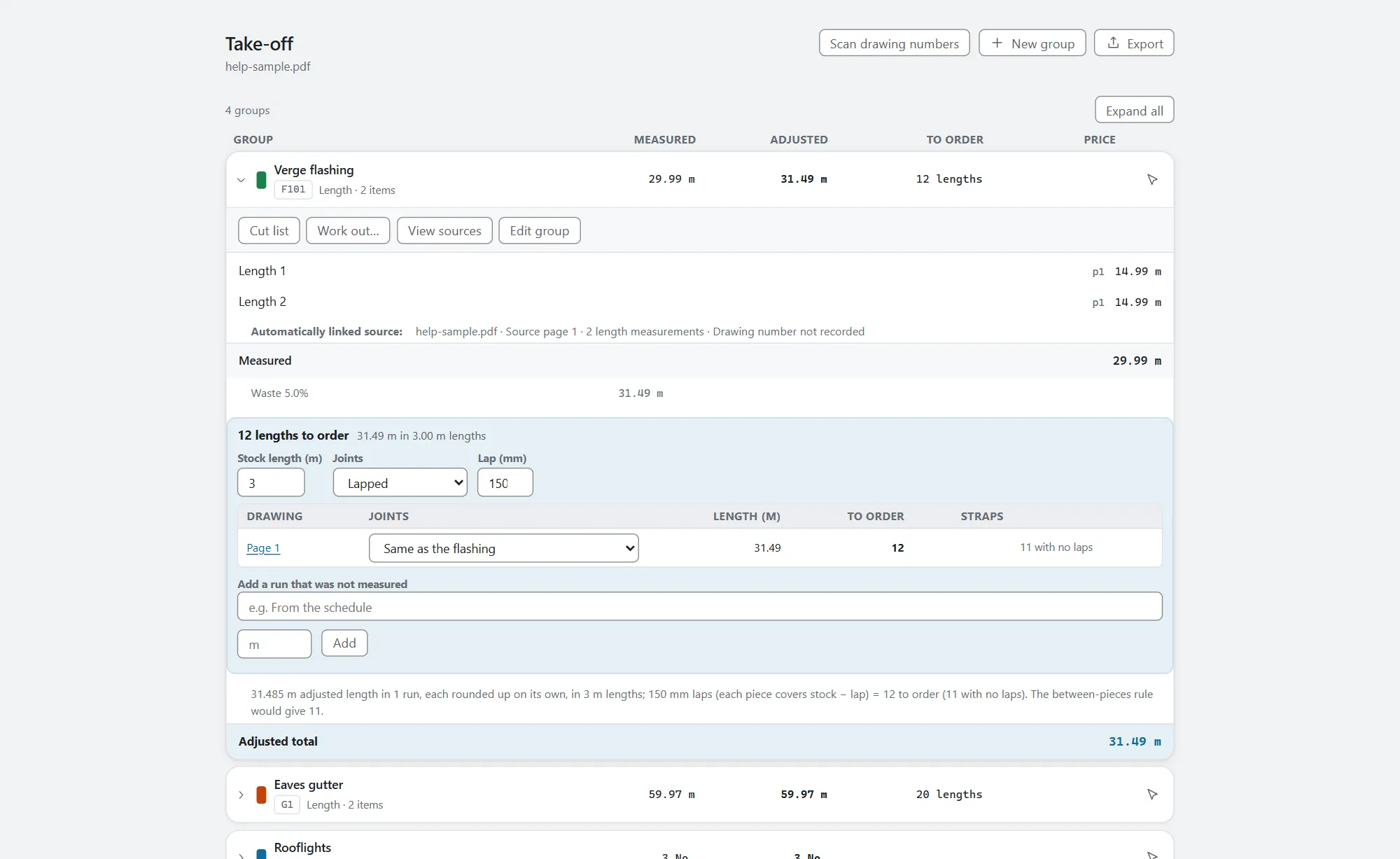
The Take-off page is the bill: one row for each group, with what it measured, what that comes to once waste and the rest are applied, what to order, and a price if you have set one. Click a row to open its working underneath: the measurements it holds, each step of the arithmetic, and the buttons for that group. A row that needs a look (a measurement with no scale, say) says so, and Needs a look narrows the list to those.
Waste, multiplier and pitch
Open the group's row on the Take-off page and choose Edit group. The preview shows each step with a running total, so you can see exactly how the final figure is reached.
- Waste % is an allowance on top of what you measured, for cutting and lost ends.
- Multiplier is for when one measurement stands for several, such as the same bay repeated four times.
- Pitch corrects a plan area to a sloping surface: choose degrees or rise-to-run.
- Deductions and a manual adjustment take quantities off or adjust them, each shown as its own step.
Keep a group for next time
If you set groups up the same way on every job, save one as Ways of measuring (the Keep for next time button in the group's settings). It saves the recipe, never any measurements, so a figure from one job can never end up on another.