Do a Job · Everyday · 3 min
Set the scale of a drawing, and check it
Tell the program what a known distance on the sheet really is, so everything you measure comes out in real units.
Nothing on a drawing has a real size until you say what one known line means. Until you do, the status bar says Not calibrated and the program refuses to give real-world quantities rather than guess.
Set it
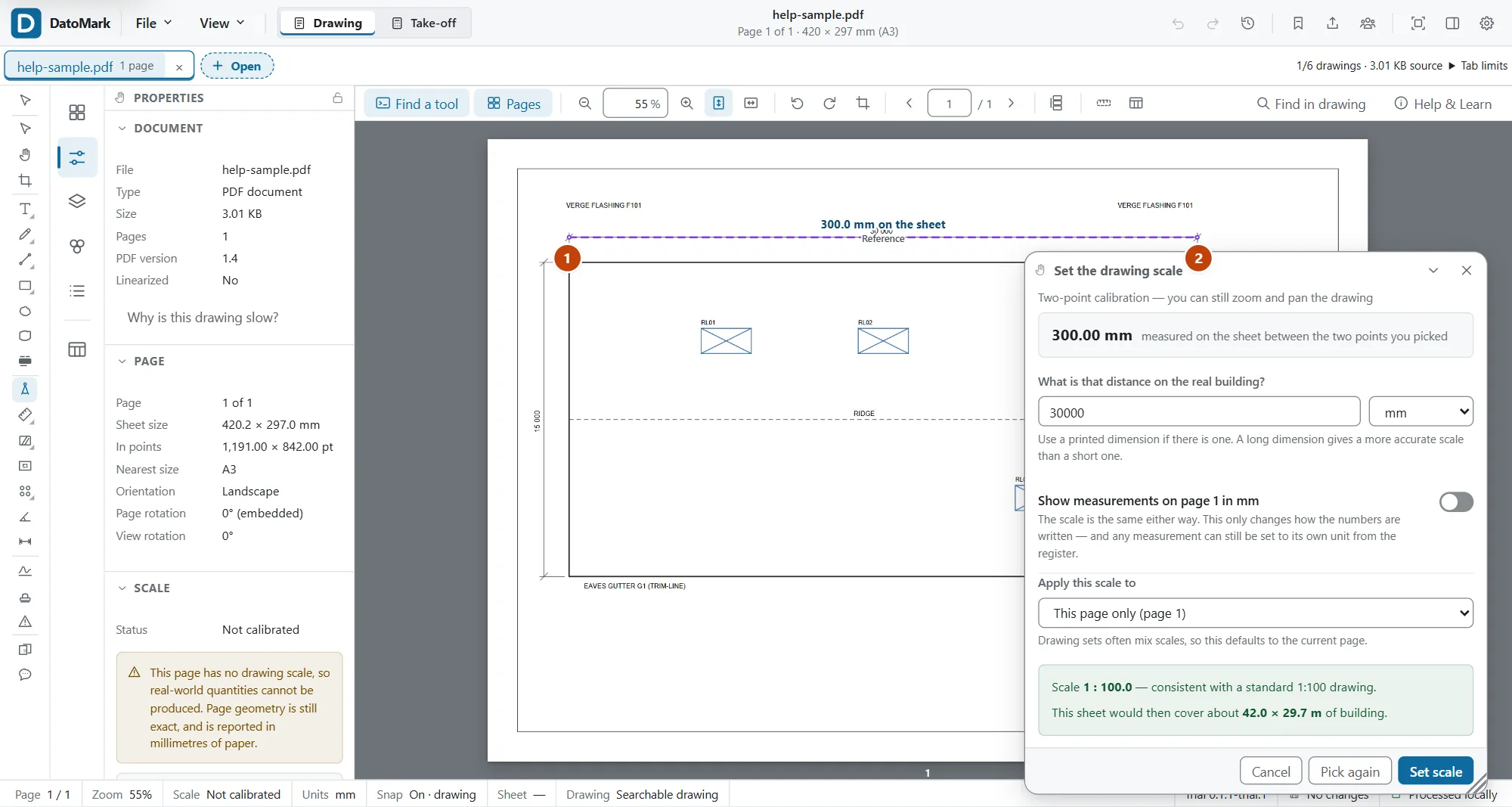
- Go to the page you want to measure on. Each page has its own scale, because sheets in a set are often drawn at different scales.
- Press K for Calibrate scale.
- Click one end of a dimension you already know: a printed dimension string, a gridline spacing, a door you know is 900 wide.
- Click the other end. Zoom in first if the points need to be exact; the panel stays open while you zoom.
- Type the real distance, choose its unit, and confirm.
Check it
Always check a scale before you trust it. It takes ten seconds.
- Press L and measure a different dimension that’s printed on the drawing.
- Compare the reading with the printed figure. They should agree to within a hair.
- If they don’t, the reference you picked was off, or the drawing isn’t to a single scale. Calibrate again from a longer line.
When the scale changes
If you recalibrate a page after measuring on it, the measurements you already made keep the scale they were taken under, and the register flags the difference so you can decide. Nothing is rewritten behind your back. Select the ones you want to bring up to date, right-click one and choose Update selection to the current scale (or find that with Ctrl+F).
In DatoMark Calibrate this page