Do a Job · Everyday · 2 min
Join a Dato Room from a link
Open the link you were sent, say who you are on the page it opens, and you’re in the same drawing.
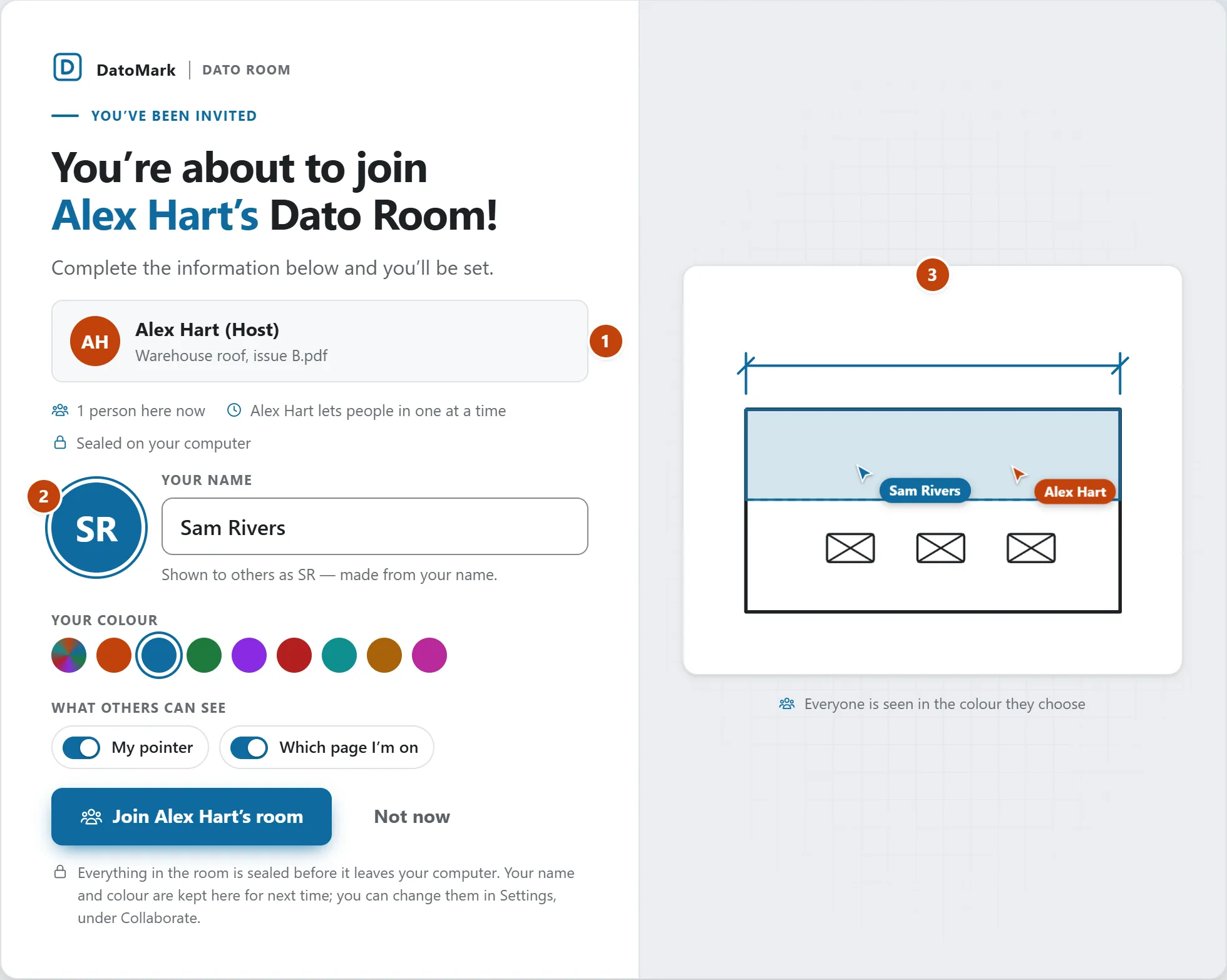
A link opens a page of its own, not a box over somebody's drawing. It says whose room it is, what’s in it and how many are there, and asks who you are. Nothing is joined until you press Join.
- Open the link in your browser. (Or choose Join on the home screen and paste the link.)
- Type the name you would like to be called by. The round badge takes its letters from it as you type, and the little sheet on the right shows you and the host as you’ll look. Pick a colour if you like, and choose whether the others can see your pointer and which page you’re on.
- Choose Join. If you already have marks on a drawing you’re offered the chance to save first, because joining opens the host's drawing.
- The drawing arrives and the lobby opens. Start marking up: everybody sees your marks as you draw them.
If you have been here before
With a name already saved, the page greets you instead: “Welcome back, Sam! Ready to join? If all the information below looks good, click Join when you're ready!” Your name, colour and what you share are already set; Change opens them. To skip the page altogether, turn on Go straight in from an invite link when my name is saved in Settings › Collaborate.
If the host lets people in one at a time
Then pressing Join puts you in the waiting lobby: you’re held at the door, the host has been told, and you go straight in when they say yes. See Let people in, and hand the room over.
If the host didn’t share the drawing itself, you’re asked to open the same file first, then use the link again. It has to be the very same file; a copy that was exported or edited since is a different file.
Your name, colour and what you share
How you look to others (name, colour, initials, a status line) is in Settings › Collaborate, and the page above sets it for you. So is what you share: your pointer, which page you’re on, and whether you see other people's pointers.
If the host didn’t share the drawing itself, you’re asked to open the same file first, then use the link again. It has to be the very same file; a copy that was exported or edited since is a different file.
Your name, colour and what you share
How you look to others (name, colour, initials, a status line) is in Settings › Collaborate. So is what you share: your pointer, which page you’re on, and whether you see other people's pointers.
In DatoMark Join with a link