Do a Job · Everyday · 5 min
Site signs, the register and the legend
Place fire, access, hazard and welfare signs on a site plan, keep a register of them, and put a key on the sheet that’s always right.
A walk-through inside DatoMark Walk me through: Site signs, the register and the legend (5 minutes, on a practice sheet)
A site plan is a drawing of where the safety signs are. Each sign you place is a tag: it has a number (EX-01, FA-02), a place, who looks after it and when it is next to be checked.
- Choose Site signs…, pick a sign, and click where it goes. Its number is worked out for you.
- Double-click a sign to say where it is, who looks after it and when it is next due. Overdue and due-soon signs show in the register.
- Choose Site sign register… to see every sign on the plan in a list, and to save it as a spreadsheet.
- Choose Place a legend of the signs to put a key on the sheet.
The legend keeps itself right
The legend lists what’s on the plan, with how many of each, and works itself out again every time it’s drawn: place a sign, move one, delete one, and the key changes at once. Counts come from placed items; you can choose the labels and which entries to show. Drag its corners to resize it; the lettering and columns fit the box. Double-click it for its options.
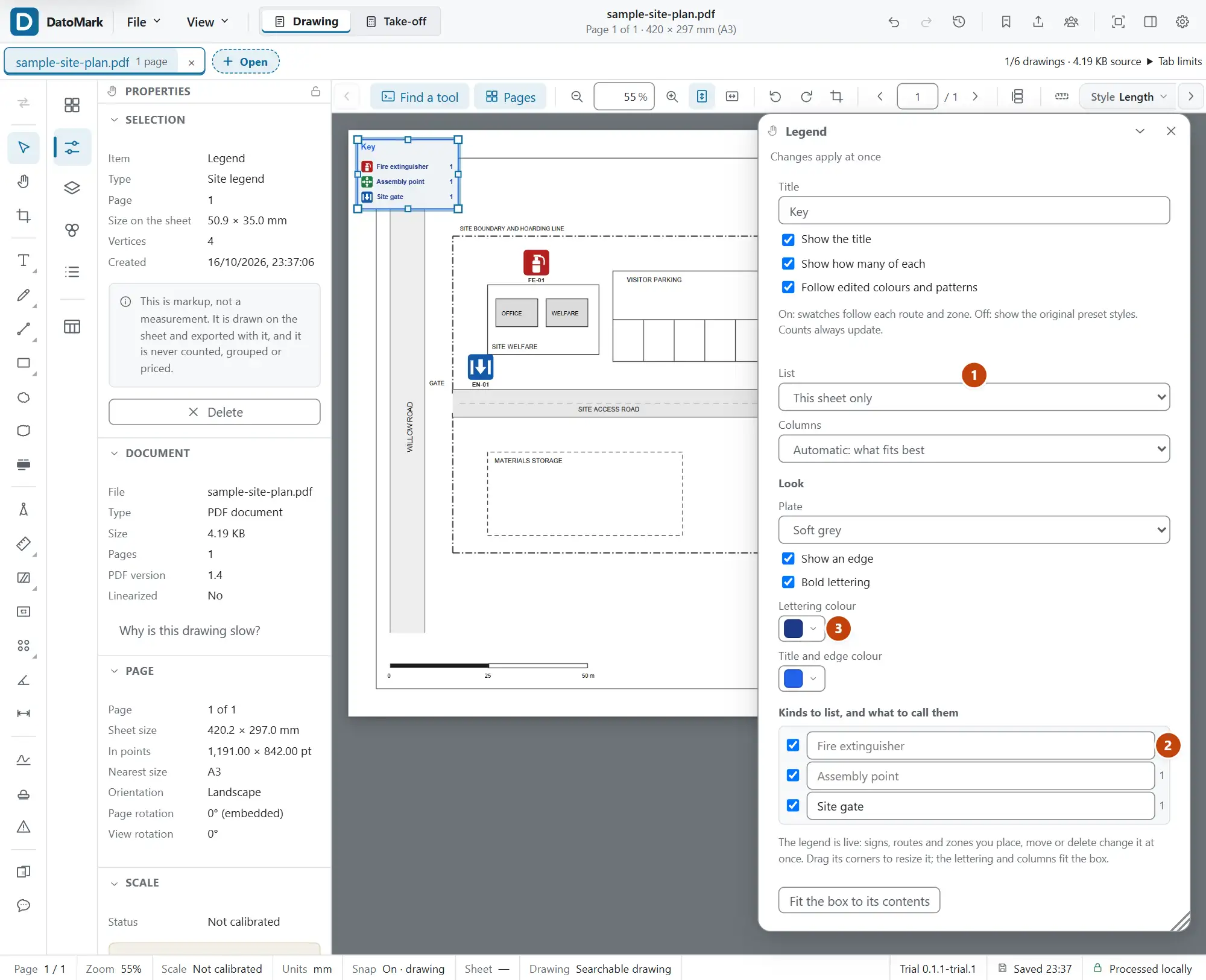
- What to call each kind. Type over the name (the ordinary name is shown faintly as a hint); clear the box to go back to it.
- The plate: white, soft grey or see-through, with or without an edge, with the lettering bold or plain.
- Colours for the lettering and for the title and edge come from the colour panel, the same one the drawing tools use.
- Which kinds to list: untick any you don’t want in the key.
Follow edited colours and patterns is on by default. Route and zone swatches follow your edits, with separate entries for different styles of the same kind. Turn it off to use the original preset styles; counts still update. This doesn’t freeze a snapshot of the legend.
Same colour flags matching colours used for different kinds; Similar shades suggests checking whether they’re easy to distinguish. The message notes different shapes or patterns. These are advisory checks, not a guarantee for every background, printout or colour-vision difference.
In DatoMark Place a legend