Do a Job · Everyday · 5 min
Measure lengths and areas
Straight runs, routes that turn corners, rectangles, shapes, fills, and taking an opening out of an area.
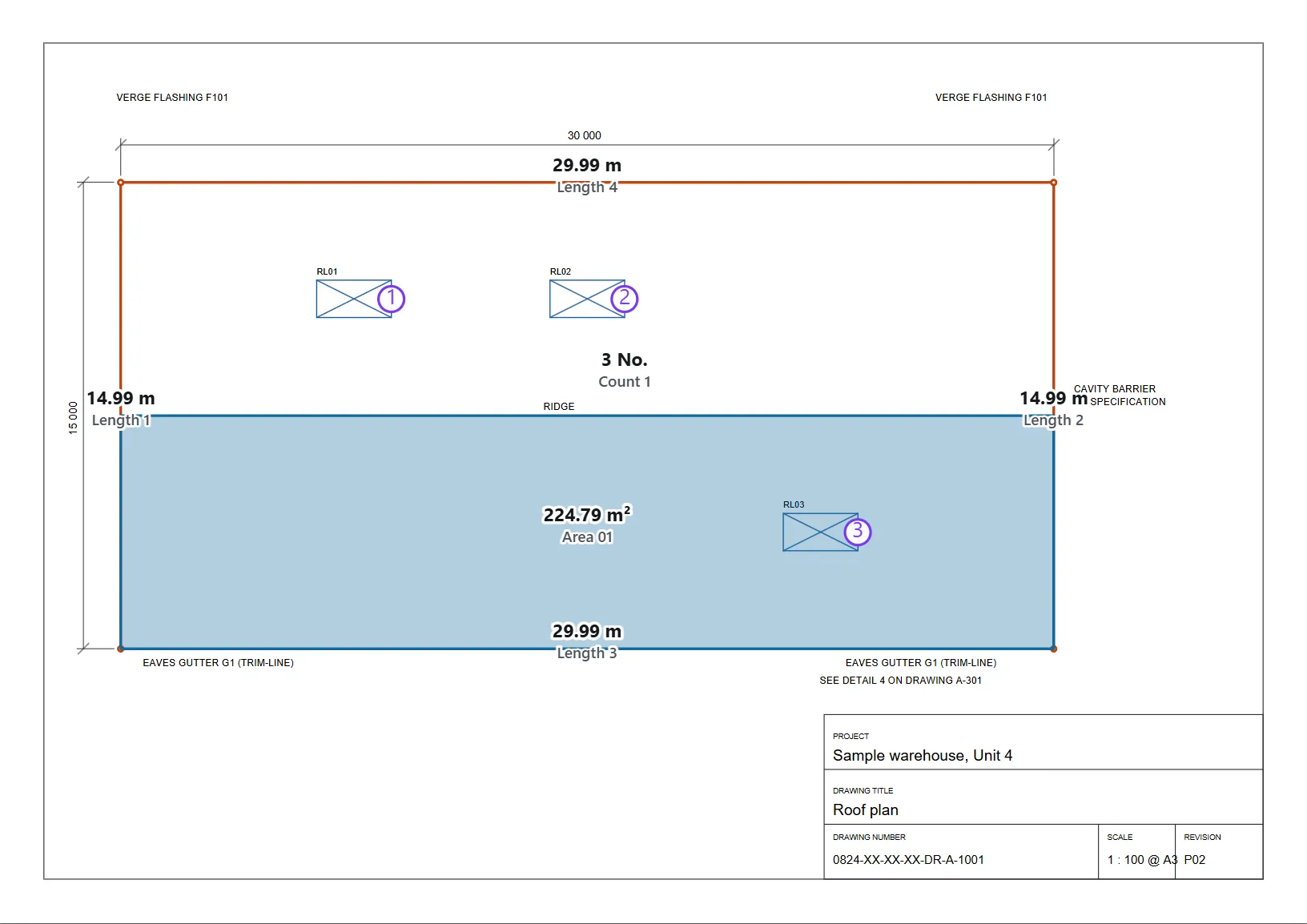
Set the scale first. Every tool below then reads in real units. The measuring tools snap to the drawing's own corners and line ends, so a click lands on the corner rather than near it. (Dimension is a mark drawn on the sheet, not a measurement, and goes exactly where you click.)
A walk-through inside DatoMark Walk me through: Measure a length (2 minutes, on a practice sheet)
A walk-through inside DatoMark Walk me through: Put a dimension on the sheet (3 minutes, on a practice sheet)
Lengths
| L | Length: click one end, then the other. |
|---|---|
| M | Polyline length: click each corner of a route; right-click, double-click or press Enter to finish. One total for the whole run. |
| E | Perimeter: the distance round a shape. |
| D | Dimension: a distance drawn on the sheet as a dimension line, with its number. It’s a mark for the reader and is never added to a take-off, so dimensioning a run you have already measured doesn’t count it twice. |
| N | Angle: three clicks. |
Areas
| A | Rectangle area: two corners. |
|---|---|
| O | Polygon area: click each corner; right-click, double-click or press Enter to close it. |
| B | Fill an area: point at a roof plane, bay or room and it’s outlined from the lines already on the drawing. Click to measure it. |
| X | Cutout: subtract an opening from an area you have already measured. |
Fill an area, in more detail
Fill follows the drawing's real lines, not a picture of them, so the corners are exact at any zoom and it can’t leak out through a gap and hand you half the sheet. The outline shows before you click; if it’s wrong, nothing has been measured. Where lines nearly meet it closes a small break (the width is set in Settings) and tells you it did. Scanned drawings have no lines, so trace those by hand.
Taking an opening out
- Select the area you measured.
- Press X and click round the opening. Right-click, double-click or press Enter to close it.
- The opening must sit entirely inside the area. One only partly inside is shown as not deducting, rather than quietly deducting part of itself.
Where the results go
Every measurement goes into the active take-off group, if you have one picked, and into the Register, where you can sort, search and click a row to jump to it on the drawing.
Group measurements into lines of your bill
In DatoMark Measure a length